 Try Odoo
Open the boodmo app or visit boodmo.com and follow the below procedure:
Using Website:
- In the search bar, enter the required part number or name.
- Go to the "Product Page," and check if the "Self-Pickup" option is available for the part. This will be displayed below the part title, as shown in the images below.
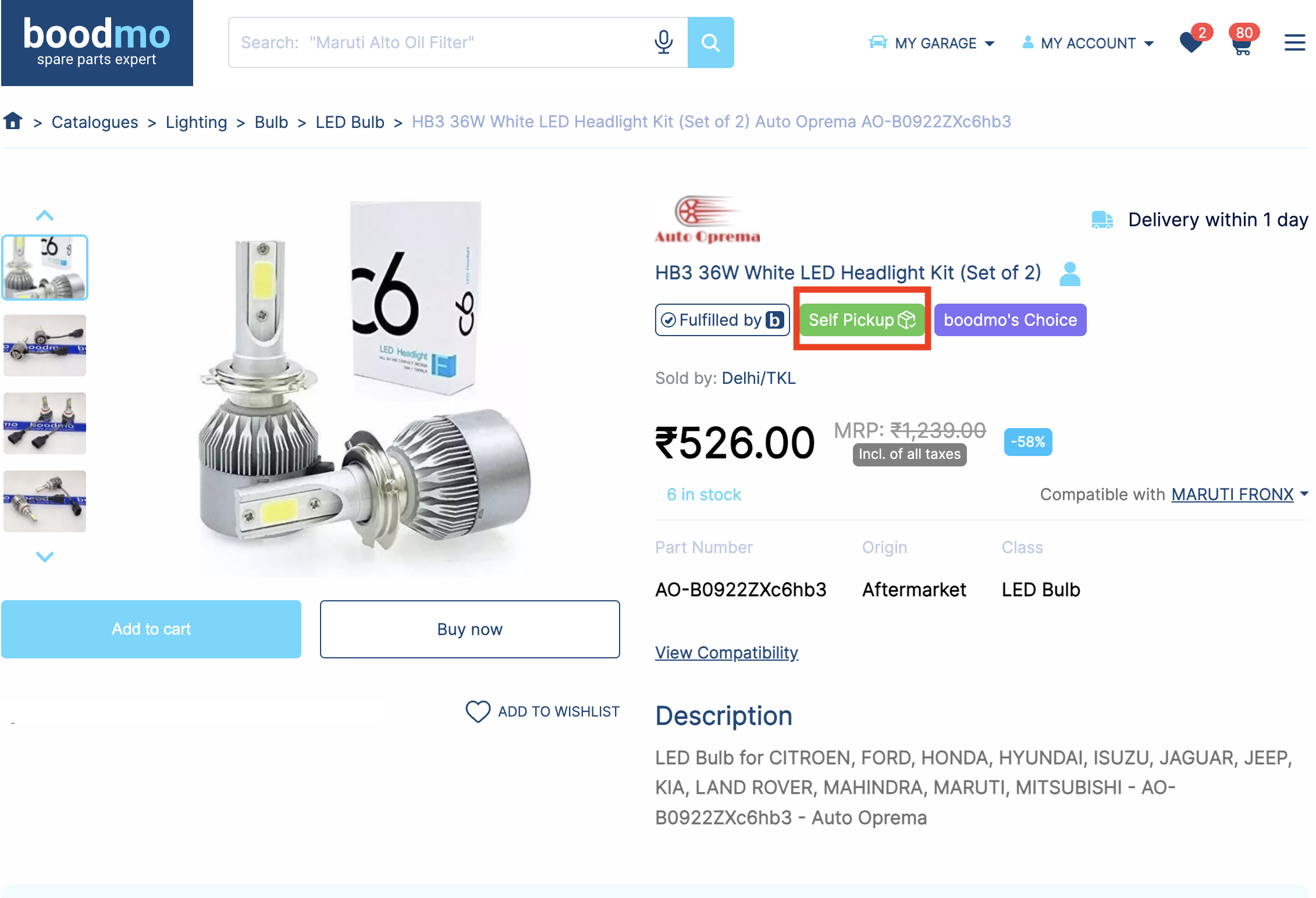
Using application:
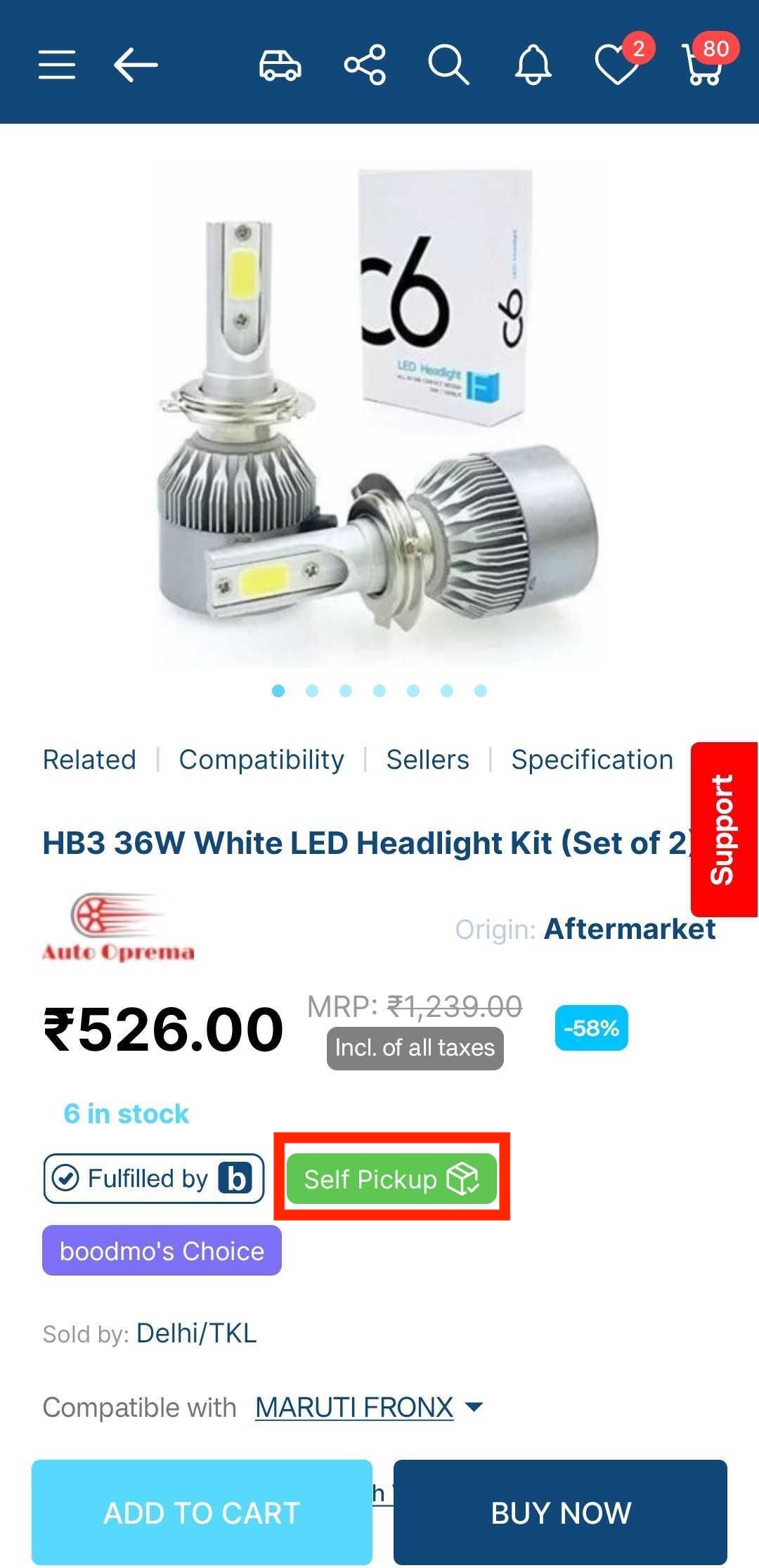
Note:
- Self-pickup is available only from Monday to Saturday.
- To ensure accurate self-pickup availability, enter your area's pin code in the designated field on the product page. Leaving it empty may result in incorrect availability information.
For assistance, click the Support option on our website/app to connect with our team.