 Try Odoo
How do I Log Out of My Account?
On Website:
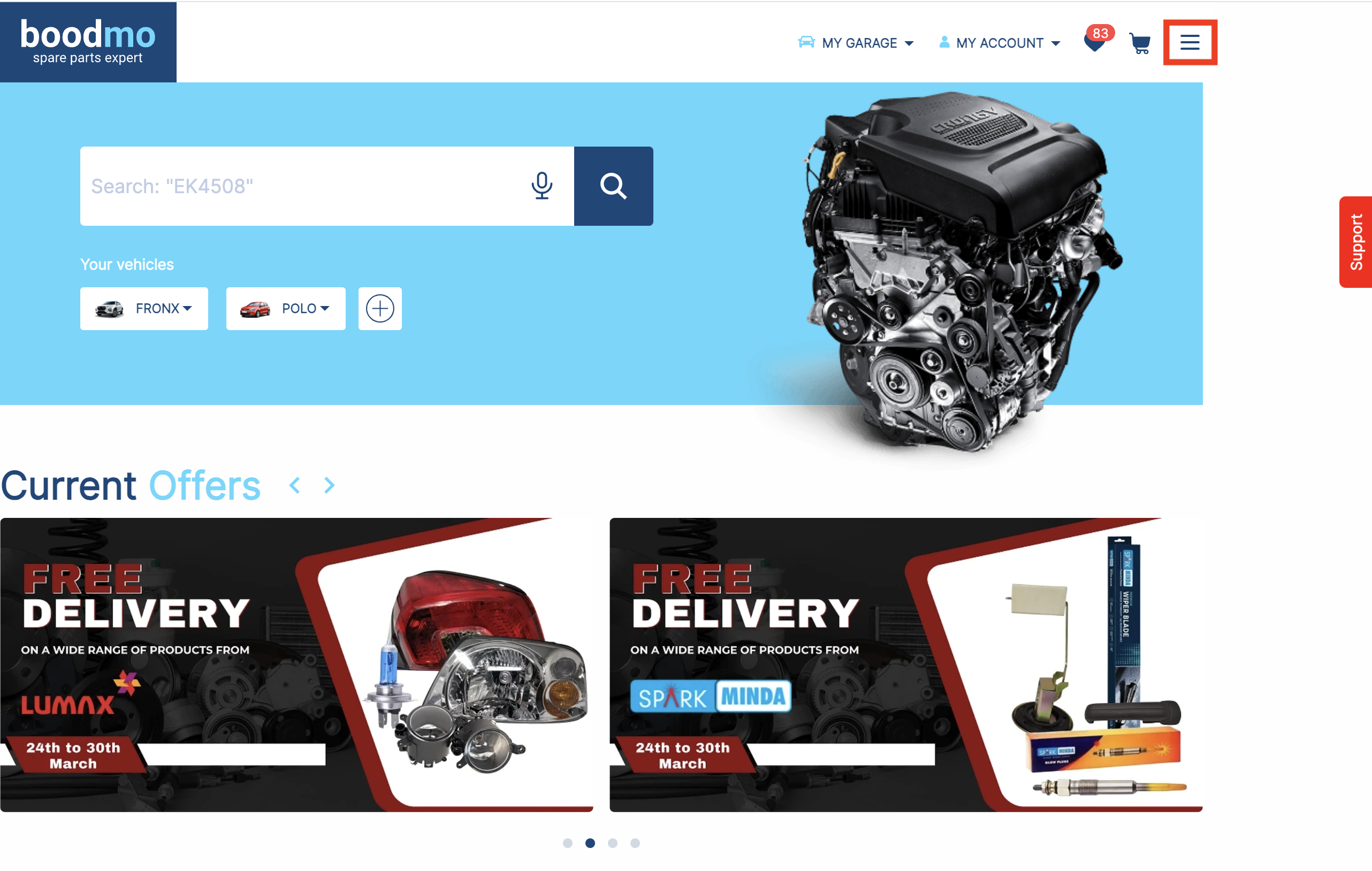
- Visit boodmo.com
- Tap on the Menu (☰) icon in the top-right corner, as shown in the picture.
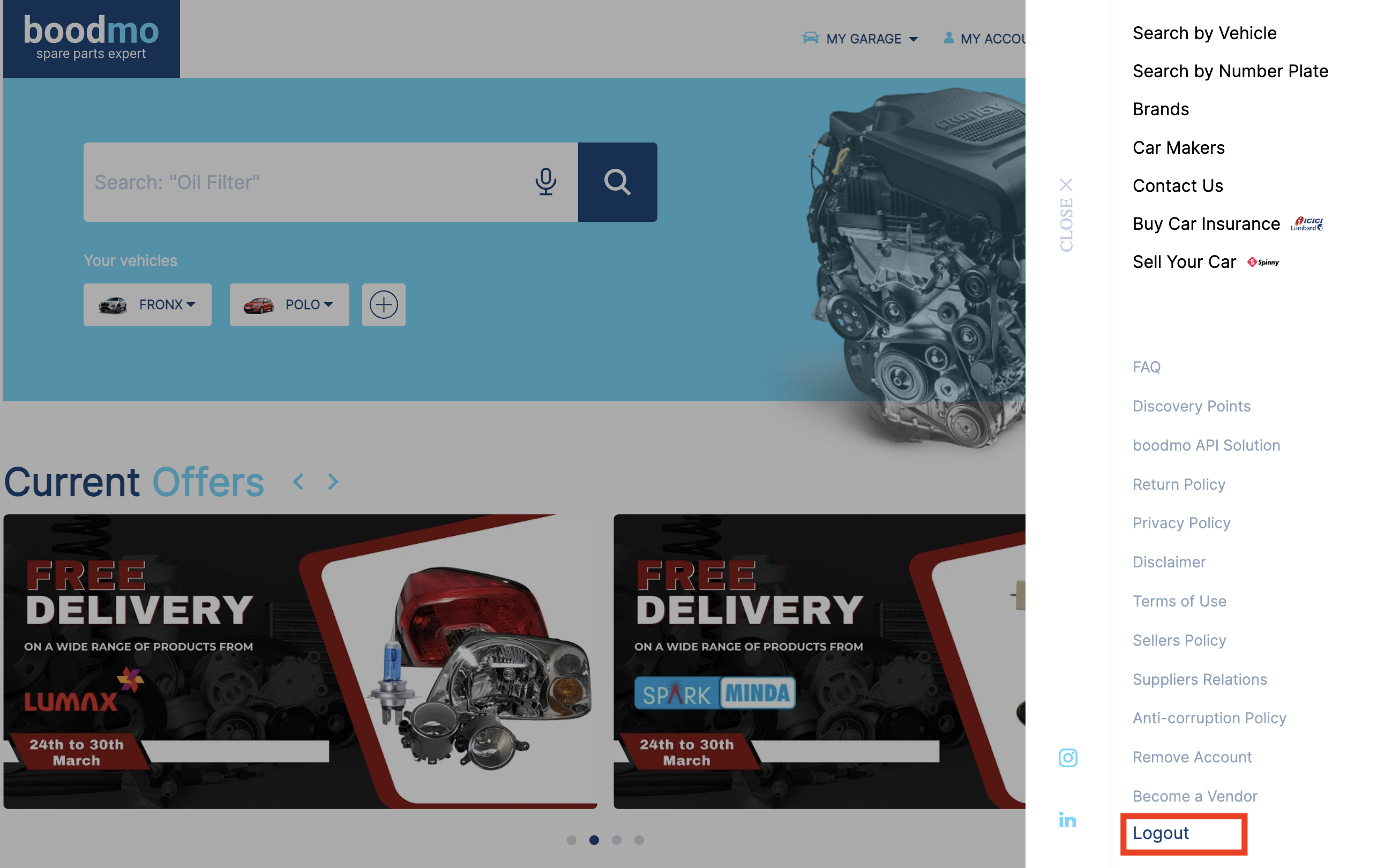
- Navigate to the end of the menu and click on "Logout"
On Mobile App:
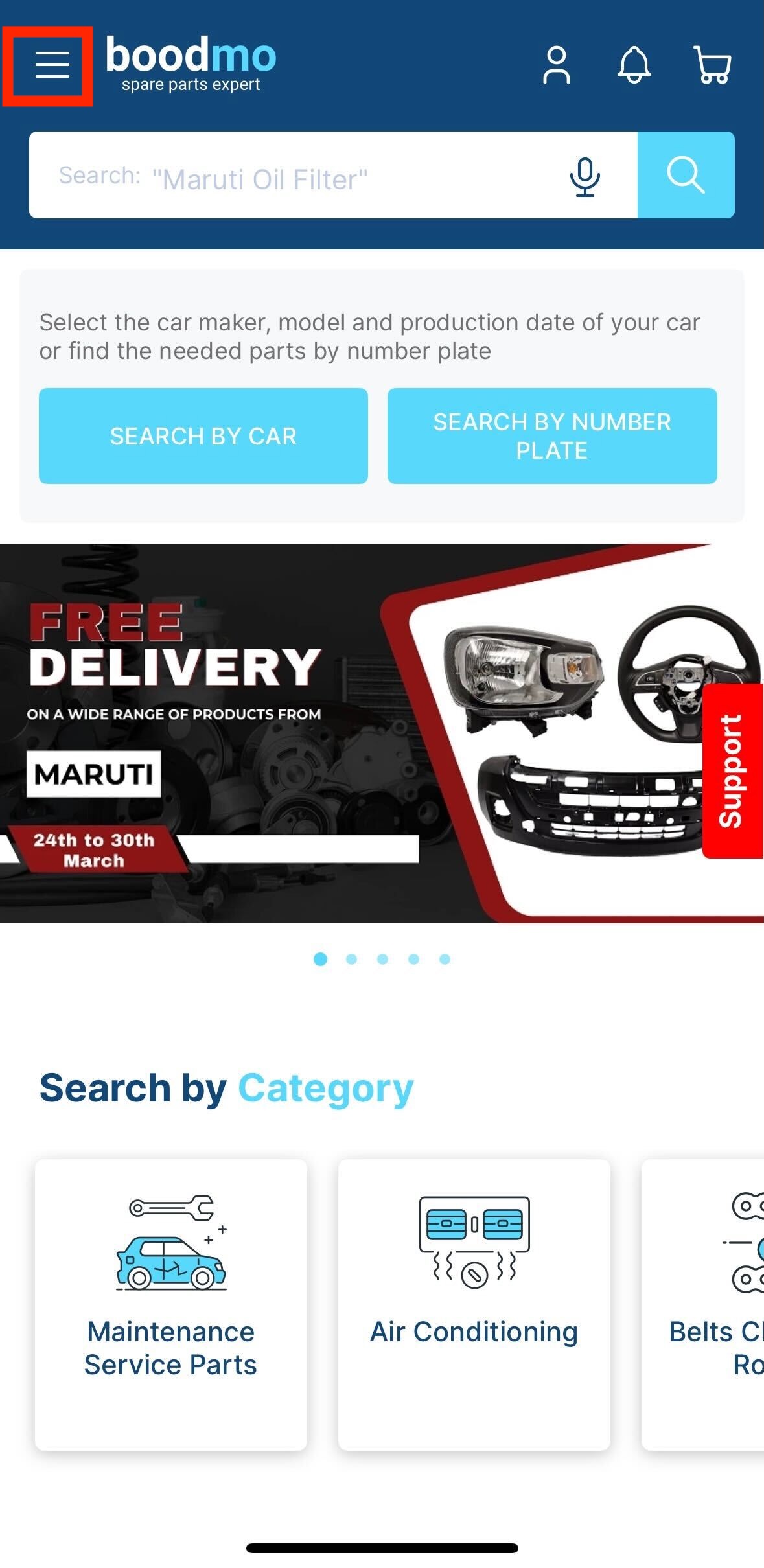
- Open the boodmo app on your device.
- Tap on the Menu (☰) icon in the top-left corner, as shown in the picture.
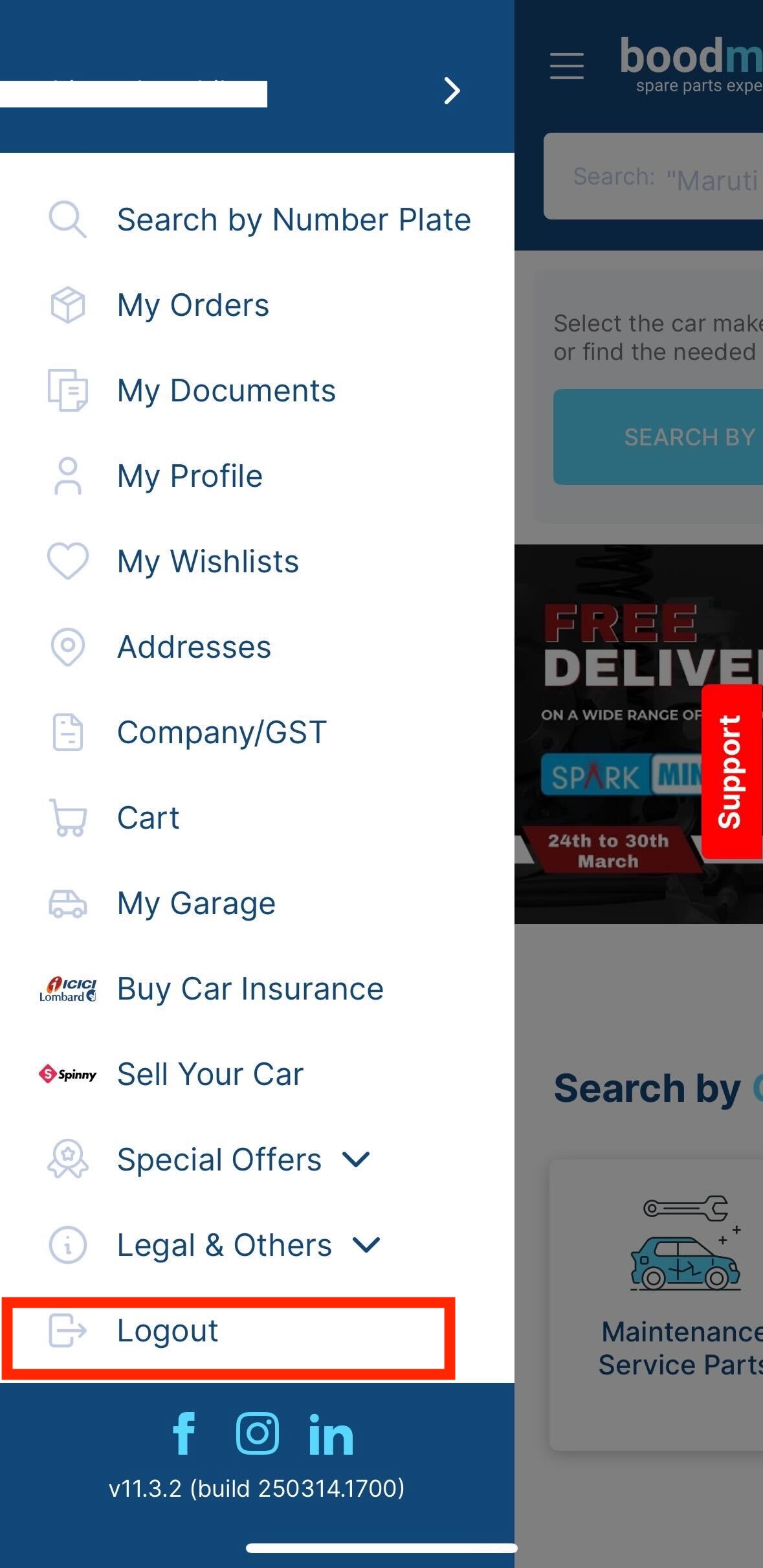
- Scroll to the bottom of the menu and select "Logout" to sign out of your account.
If you face any issues, please contact our support team by clicking the Support icon available on the website or app.